Video Generator: a vertical video for your beat
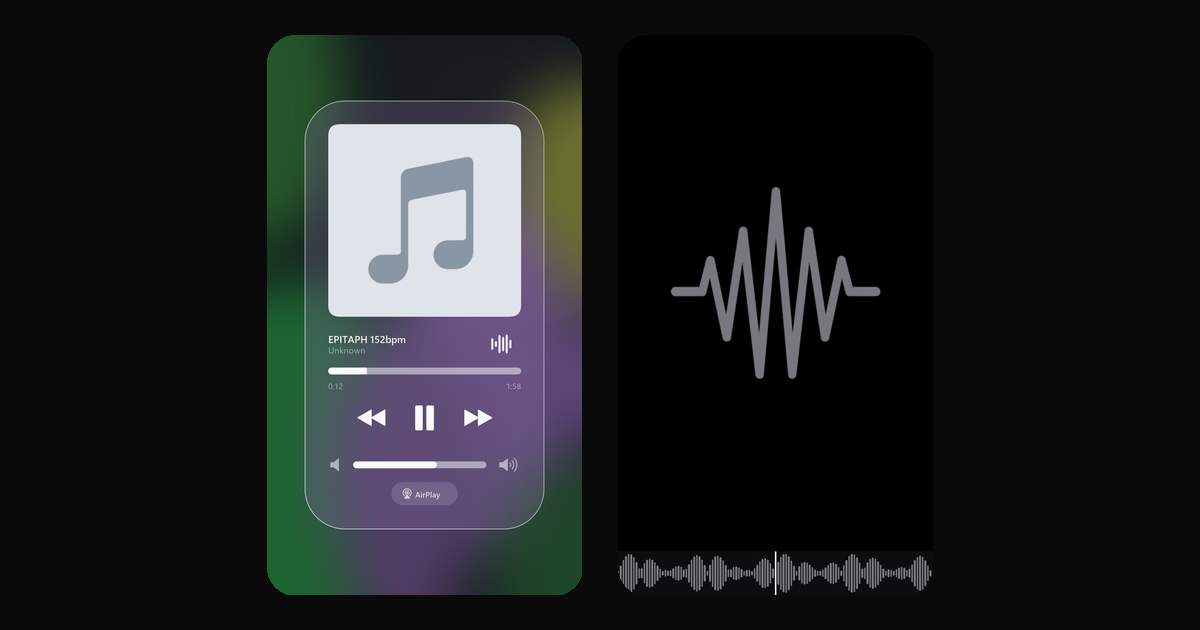
Video Generator turns a beat into a vertical video for Instagram, TikTok or Shorts. Open it from “Tools” under the header, choose a song and a look, press “Make the video”. It is free and needs no account.
Two looks
Now Playing is the iPhone player card over a slowly moving background. Pick the default haze, a colour or your own picture, and the title on the card. Picture + strip is a picture with a strip of bars that scrolls past a white line: choose a panel across the bottom or a floating capsule (No pill / With pill), and set the wave height.
Set the clip
Choose where in the song the video starts and how long it is, up to 60 seconds. The preview plays your song with the real picture, so what you see is what you get.
Nothing is uploaded
The video is drawn and encoded in your browser, so your beat never leaves your computer. It works best in Chrome or Edge on a computer; a 20 second video takes about a minute.
Also new: the header now has a row of tools, so every TrackWheel feature is one tap away. The Pro ones are grey until you upgrade, and the pricing page on a phone shows one plan at a time with the button at the bottom.